Delivery & Returns
Basket delivery messaging
Delivery type/price/threshold in basket, add-to-basket modal, flyout
In one sentence
What it is
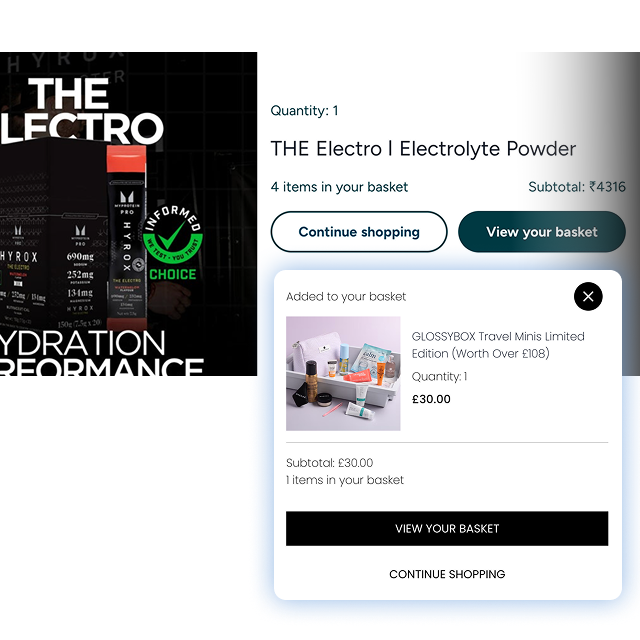
Live delivery type, price and free-delivery threshold shown in the basket, add-to-basket modal and flyout — turning the moment a shopper checks their basket into a nudge to add one more item rather than a moment of doubt about cost.
How it works
What it does
As items are added to the basket, a messaging layer calculates and displays the delivery method that applies, its cost, and — where a free-delivery threshold is configured — exactly how much more needs to be spent to qualify. This shows in the basket page itself, in the pop-up confirmation when an item is added, and in the basket flyout/mini-basket, so the shopper sees it repeatedly without having to go looking for it. The brand configures the thresholds, the delivery options that qualify, and the exact wording; the underlying calculation always reflects the real basket contents and delivery rules rather than a static banner.
The problem it solves
Why it matters
For the brand
A basket that goes quiet on delivery cost until the final checkout step invites exactly the kind of sticker shock that causes abandonment at the worst possible moment — after the shopper has already invested time selecting products. It also wastes a straightforward lever for lifting average order value.
For their customers
Nobody wants to discover an unexpected delivery charge three steps into checkout. Shoppers who are close to a free-delivery threshold but don't know it either abandon unnecessarily or find out too late to act on it.
For shoppers
How it benefits shoppers
- See delivery cost as soon as items are in the basket, with no late surprise at checkout.
- Know exactly how much more to spend to unlock free delivery, while there's still time to act on it.
- Basket total and delivery cost sit together, making the true cost of the order clear before committing.
- Consistent messaging whether checking the mini-basket flyout or the full basket page.
For the brand
How it benefits the brand
Nudges baskets over the free-delivery threshold before checkout
Average order value
Removes the single most common cause of late-stage cart abandonment
Basket-to-checkout conversion
Consistent messaging across every basket touchpoint reduces confusion-driven contacts
Pre-checkout contact volume
Threshold and copy changes apply instantly across the estate
Time-to-update trading rules
In practice
What it looks like
- 1
A shopper adds a product and the add-to-basket modal shows: 'Add £8 more for free delivery.'
- 2
They browse for one more item, see the flyout update the remaining amount as they add it.
- 3
Once the threshold is met, the message switches to confirm free delivery has been unlocked.
- 4
They proceed to checkout already knowing the total cost, with no delivery-charge surprise waiting.
Where it lands hardest
Strong use cases by industry vertical
Health & nutrition
Strong AOV lever — supplements and protein are frequently bought in multiples, so a threshold nudge easily converts to an extra tub or pack.
Beauty & personal care
Works well alongside gift-with-purchase thresholds, giving shoppers two reasons to add one more item rather than one.
Food, drink & FMCG
Effective for multi-buy grocery-style baskets; less relevant for single high-value gifting purchases where threshold nudges feel out of place.
Pet care
Particularly effective given how heavy and delivery-cost-sensitive pet products are; the free-delivery threshold often mirrors a natural bulk-buy pattern.
Fashion & apparel
Works well, though needs care around returns-heavy categories where nudging extra items can also nudge extra returns.
Luxury & premium
Use sparingly — an aggressive 'spend more to save' message can feel discount-driven in a category where delivery is usually already free or complimentary.
Common questions & objections
What clients usually ask
Why the platform version wins
The same delivery calculation and thresholds power the basket, checkout and PDP messaging, so a shopper never sees one number in the flyout and a different one moments later at payment — a common failure point in bolt-on basket-messaging widgets.